
OIA Chrome Extension
 Edge Add-on
Chrome ExtensionEdge Add-onWho Is Watching
See who is tracking you on any page — analytics, ad-tech, and identity vendors, with the IDs they set. 100% local. No account.
Chrome ExtensionEdge Add-onSee who is tracking you on any page — analytics, ad-tech, and identity vendors, with the IDs they set. 100% local. No account.
Find out who is watching while you browse — then keep the receipts.
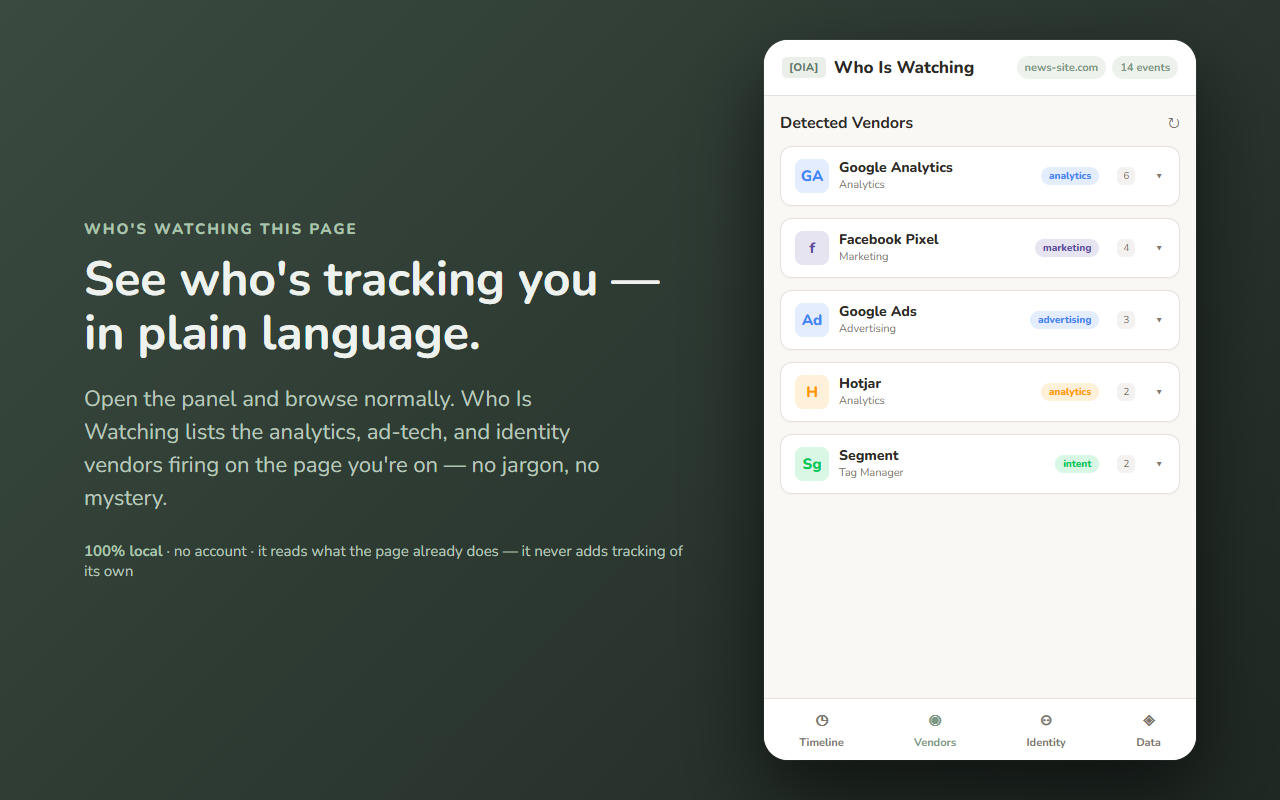
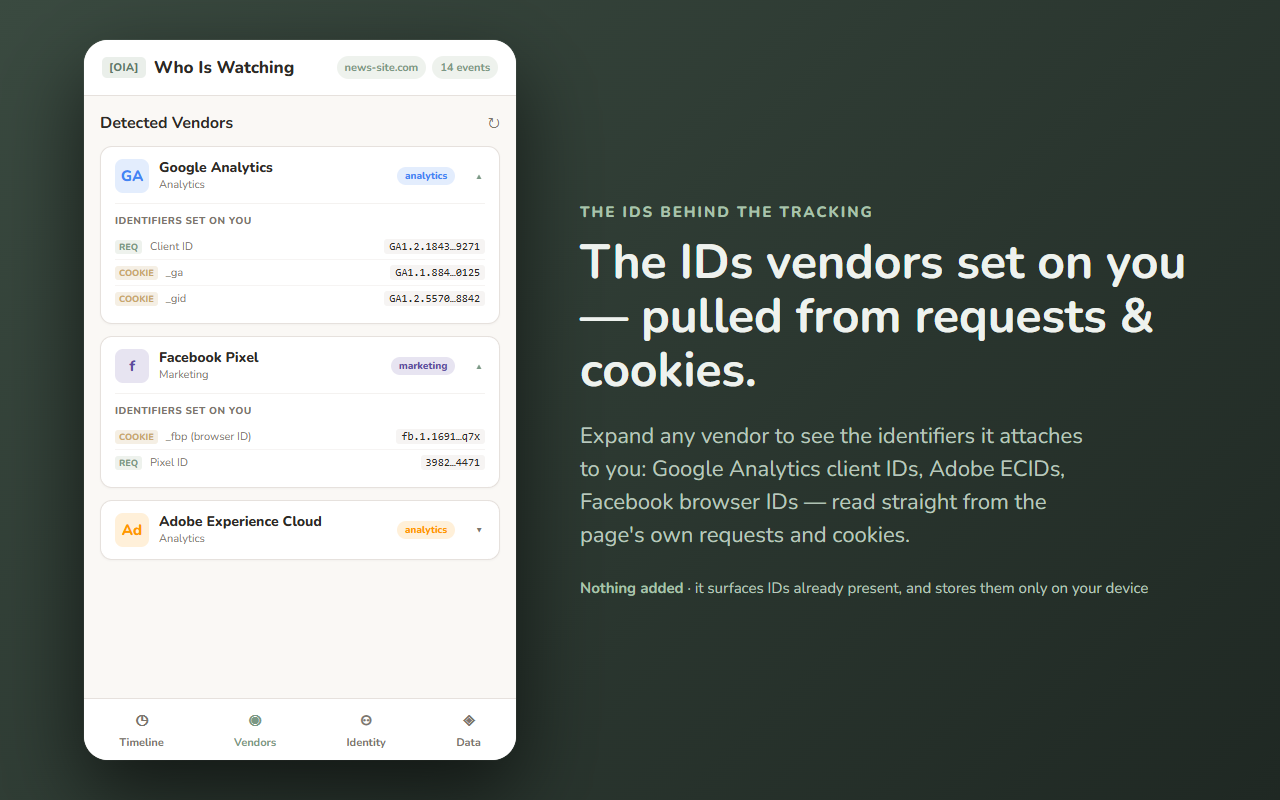
Who Is Watching opens a Chrome side panel that shows, in real time, the analytics, advertising, marketing, and identity vendors firing on the page you're on — and the tracking IDs they set on you. Open it, browse normally, and watch the list build. No mystery, no jargon: just a plain view of who's collecting your data.
It only observes and reports. It does not block requests and it does not spoof or alter the page. It reads what a page already does — the trackers a site loads are the site's doing, not the extension's — and it makes no outbound connections of its own. Everything runs on your device: no server, no account, no sync, no ads.
Detection happens two ways, both locally. A small content script scans the scripts and globals a page loads, and a page-context hook watches the page's own network requests and cookies to recognize known trackers and the IDs they use. It reads activity the page already produces — it observes and reports, and never adds tracking, blocking, or spoofing of its own.
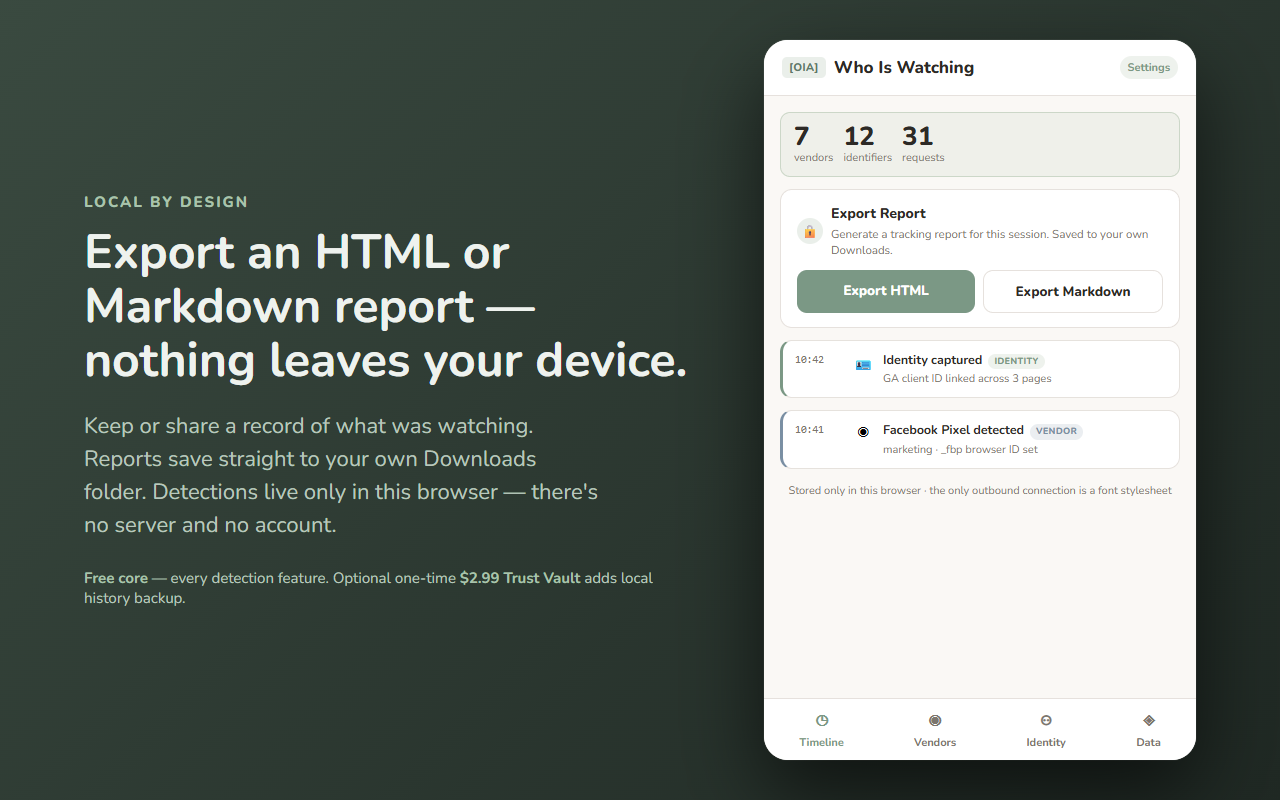
Who Is Watching has no backend and sends none of your data anywhere. Detections are stored only in this browser (IndexedDB) and never leave your device unless you choose to export a report to your own Downloads folder. See exactly what moves — and what doesn't — in the data-flow diagram above.
Every detection feature is free: the live vendor map, the IDs, the timeline, the identity graph, and HTML/Markdown report export. A single one-time unlock (Trust Vault) adds local Data Backup — export and re-import your full detection history as a portable file, kept entirely on your device. That's the only paid feature; the detection tool is identical either way. No subscriptions, no metering. If it was useful, you can also leave an optional tip.
Built by 864zeros — local-first, privacy-first Chrome tools.